Thirty-two sensors.One quiet seismometer.
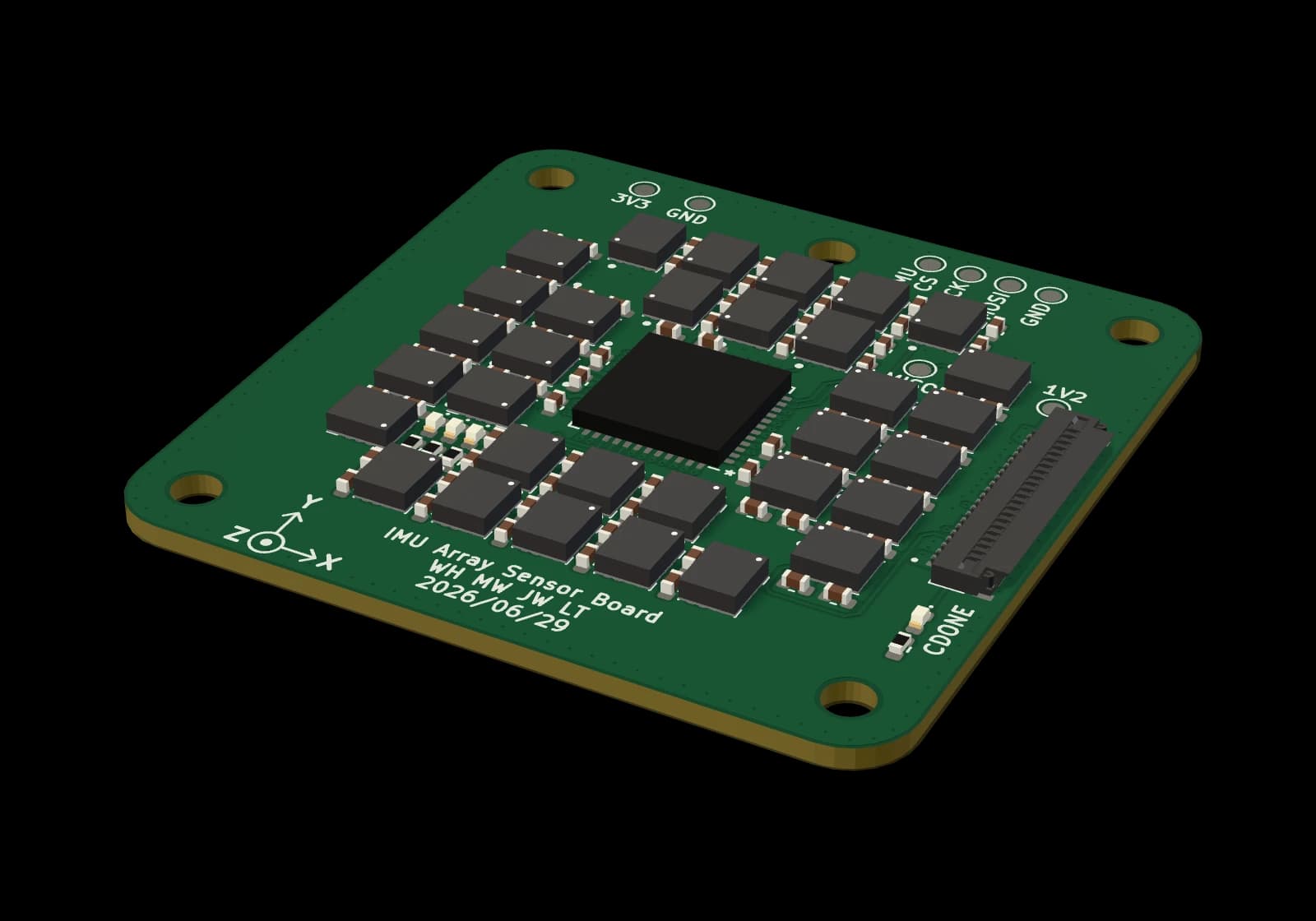
A $250 seismic node for your home or school: 32 motion sensors, averaged on one 36 mm board.
4×quieter
Four times quieter than one of its own sensors.
Measured alone, one of the board's sensors has a noise floor of 52 µg/√Hz. Averaged, all 32 come in at 12.6 on the vertical axis and 10.6 on the horizontal ones, level with what the sensor's datasheet predicts for an average of 32.
- One sensor, its datasheet figure70
- One sensor, as measured (vertical)52
- Datasheet figure ÷ √3212.4
- 32 averaged, vertical axis12.6
- 32 averaged, horizontal axes10.6
Noise is uncorrelated. Signal is not.
Every sensor on the board feels the same ground and adds its own error on top. Average enough of them and only the ground is left.
1 sensor
1.0×
A $3 motion sensor, the kind in your phone, hears the ground. It also hears itself: its own electrical and thermal noise sits on every reading, and nothing in the signal says which is which.
4 sensors
2.0×
Put several on one board and they all feel the same ground motion, but each adds its own noise. Average them and the shared motion survives while the private errors start to cancel.
32 sensors
5.7×
In theory, 32 cut the noise by the square root of the count, about 5.7×. On the bench, the board measured about 4× quieter than one of its own sensors on its own.
Apply
Tell us where it would go. The first nodes go to hosts spread across the map, so the network covers ground instead of bunching up.
Pair
Plug the node into a laptop or desktop with its USB cable and add it to your account from the browser. Phones and tablets cannot pair one.
Place
Set it on a hard floor, as low in the building as you can, near an outlet and within Wi-Fi range. From then on it records by itself.
One node is data. Many is a network.
Every node knows where and when it is, so recordings from different places line up. Create a free account to see the nodes on a live globe and play back what they recorded.
- Cypress, TexasOnline now
Your node, your call.
- Private
- Only you.
- Team
- You and the people in your VibeWatch team.
- Public
- Everyone with a VibeWatch account. Its nearest city and status are also listed without sign-in and may appear in search results. Its name is only shown after sign-in.
You choose for each node and can change it while the node is yours. Recordings are kept for good. If you remove a node or close your account, its recordings keep the sharing they had at that moment, so choose public when you mean it.
Questions
Can I buy a node?
Not yet. The first nodes go to hosts who apply, at an expected $250 each.
What does a free account get me?
The live globe of every node shared with you, and playback of their recordings, including every public node. You can apply to host from the same account.
What does a node need?
A spot on a hard floor, ideally a ground floor or basement, with a power outlet and Wi-Fi in reach. You also need a laptop or desktop computer to pair it over USB.
Can I set it up from my phone?
No. Pairing is done over USB from a computer's browser, and phones and tablets cannot pair a node. Once it is paired you can view it from any device.
Who can see where my node is?
You choose who sees the node and its recordings: only you, your team, or everyone with an account. Public nodes are also listed without sign-in by nearest city and status, and may appear in search results. Their names and exact positions are never shown in that list.
Good seismology
Dense, well-timed ground motion data should not belong only to the institutions that can afford it. Create a free account to explore the network, or apply to host a node of your own.